Your hosting account, your bill
Wintertrace runs on a web hosting plan you already pay for, or one you can rent for a few euros a month. The hosting company sends you the invoice, not us. We never see your data.
Self-hosted snow removal software
Wintertrace runs on web hosting you control. There is no vendor cloud in the middle. Customer records, GPS tracks, photographs, and service proofs all live on the same hosting plan you use for your own website — and they stay there.
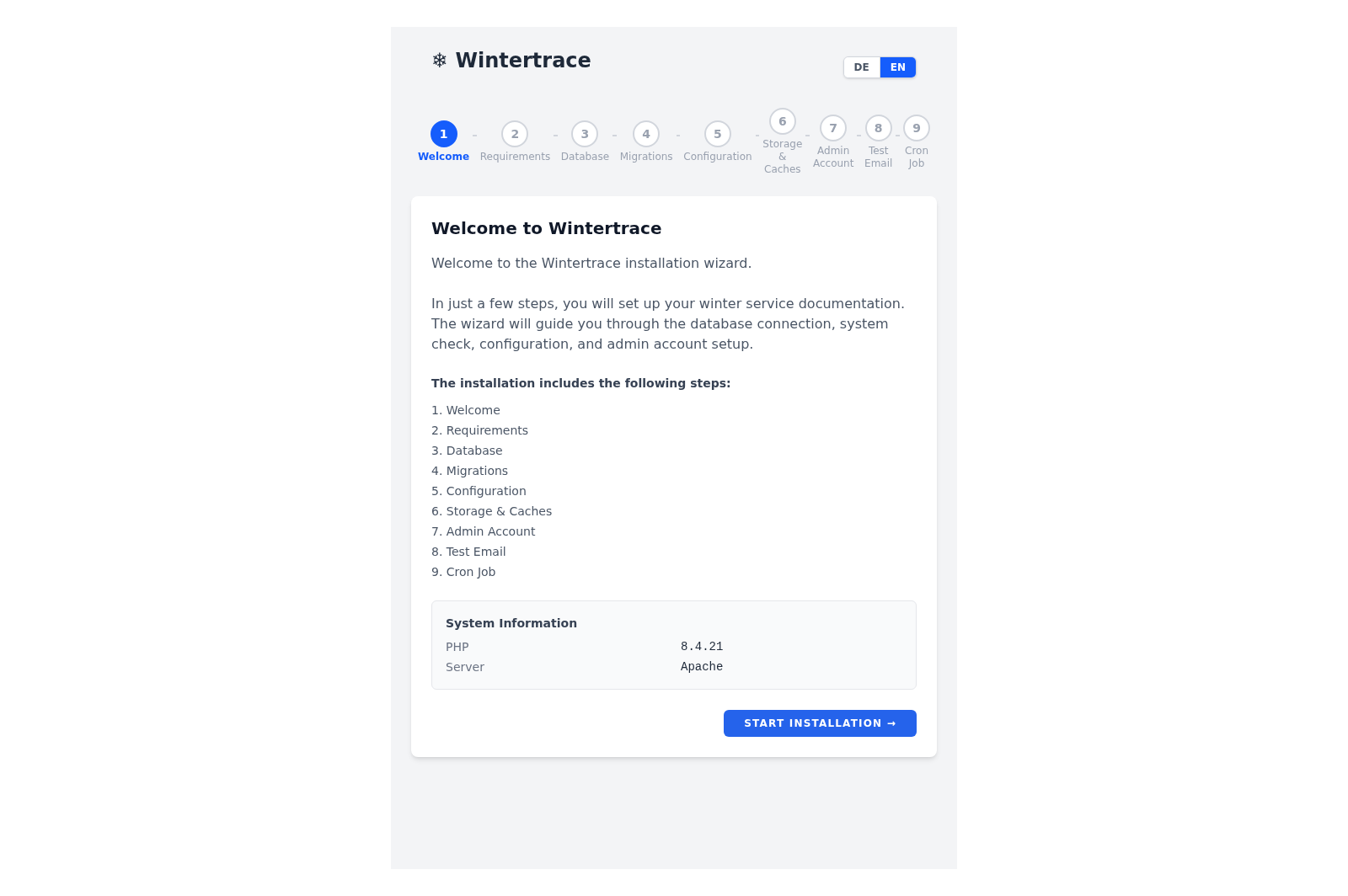
For most operators, "self-hosted" sounds like it requires a server room and an IT department. In practice it usually means something much smaller: the application lives on the same kind of hosting plan that runs your company website.
If you have ever installed a website yourself — WordPress, Joomla, a small online shop — you have already done the equivalent. The process is the same: upload files to your hosting, point the browser at an install URL, and follow the steps.
For operators who are not comfortable with even that much, the recommendation is to ask whoever already maintains the company website. The installation is well inside what a freelance web developer or agency can do in an afternoon.
Five pieces, none of them exotic. Everything in this list is a normal part of operating a small website.
Wintertrace runs on a web hosting plan you already pay for, or one you can rent for a few euros a month. The hosting company sends you the invoice, not us. We never see your data.
If your hosting can run a WordPress site, it can very likely run Wintertrace too — provided its PHP version selector goes up to 8.4. No Docker, no command line, no root access. PHP 8.4 or newer and a MySQL or MariaDB database is enough.
You upload the release archive, open a setup URL in your browser, and the assistant walks through the rest: database, admin account, base configuration. The whole thing usually takes about ten minutes.
A single cron job calls the bundled scheduler endpoint once a minute. Most hosting control panels expose this with two clicks. You set it up once and forget it.
Once installed, Wintertrace checks for updates and applies them automatically. Each update is cryptographically signed; a tampered archive will not install.
The shape of a hosting plan that runs Wintertrace. None of these values are unusual; most shared hosting plans hit them by default.
Four arguments, in plain terms. Each is structural, not promotional.
Cloud SaaS products can change terms, raise prices, or shut down. A self-hosted application keeps running on your hosting whether the original maintainer is reachable or not.
Customer addresses, photos of private property, driver movement profiles, weather records — all of it sits in your database. No analytics provider, no telemetry, no shared infrastructure.
A MySQL dump is the export format. Standard tools take that dump anywhere — another host, another country, an archive. No proprietary format, no contract clause to negotiate.
The source is on GitHub under GNU AGPLv3. Anyone with the skill to read PHP can verify what the application does. Anyone with a budget can pay someone else to do the same.
No. "Self-hosted" here means a hosting plan you control — a standard shared hosting account works. You do not need to physically own hardware.
Yes, in the typical case. The installation is a browser assistant. The steps that come before it — uploading files and creating a database in your hosting panel — are the same steps that a self-installed WordPress or Joomla site requires. If you have done one of those, you can do this.
The installation guide on this site covers the common cases step by step. Issues and discussions on GitHub are public, and contacting us directly is also an option. Wintertrace is open source — there is nothing hidden behind a paid support tier.
A small operator can run Wintertrace on a five-euro-per-month shared hosting plan. Larger operators with many drivers and photographs may want a slightly larger plan. There is no per-driver or per-vehicle pricing from Wintertrace itself.
It is a different trade. With cloud, you trust the vendor with hosting, updates, and security. With self-hosting, the operator takes those on. For operators who already run their own website on shared hosting, the additional security burden is small. For operators with no IT comfort, a cloud product may be the easier path.
You export the database with a single command, copy the application files, and upload them to the new host. The same browser assistant can reconnect to the migrated database. No vendor cooperation required.
No. The application does not send analytics or telemetry. The only outbound connections are to the weather providers you configure and to the update server to check for new releases.
Note: Self-hosting means the operator runs the application themselves. Responsibility for hosting, backups, and security therefore sits with the operator. Wintertrace provides the software and documentation support — it is not a substitute for legal advice and does not act as a hosting provider.
Source code on GitHub. Free under GNU AGPLv3.
Upload one small file to your web hosting, open it in your browser, and the installer puts the latest signed Wintertrace core on your webspace. About ten minutes — no FTP client needed.
install.php · Ed25519-signed core · GNU AGPLv3
Read the installation guide →Wintertrace is early and shaped by real winter service work. Share your feedback →