01
Missing proof when a claim arises
When someone slips on an icy walkway, the operator bears the burden of showing that service was performed. Paper logs often fall short of what is required.
Open source · Self-hosted
Wintertrace captures every snow removal and de-icing operation with GPS track, weather data, and photos. Generates a PDF service proof. Runs on standard web hosting. Open source. No subscription.
Install on your hosting
One file · WebFTP works · about ten minutes
Or try it on ours
A real installation of your own for 48 hours. Deleted automatically afterwards.
Request a live demo →PHP 8.4+ · MySQL · standard web hosting · GNU AGPLv3
Source on GitHubWintertrace is open-source software that documents winter service operations digitally. It runs on standard web hosting with PHP and MySQL — no cloud, no subscription, no vendor lock-in. The source code is public on GitHub.
No shared logins, no click-through dummy: a real installation of your own for 48 hours. After that everything is deleted automatically. No strings attached.
Real operational pain points — collected from small and mid-sized winter service businesses.
01
When someone slips on an icy walkway, the operator bears the burden of showing that service was performed. Paper logs often fall short of what is required.
02
Three drivers, twelve customers, four shifts a week. By the time anyone asks a question weeks later, the information is gone.
03
When your data sits with the provider, the provider sets the terms — price, availability, export options.
Wintertrace flips this: documentation runs automatically, data stays with the operator, the software belongs to the business.
What ships with the core software today.
01
The free open-source OwnTracks app sends location data directly to your installation — no cloud detour.
02
Temperature, precipitation, and snow depth are captured automatically at the start and end of every operation.
03
Every operation is exported as a formal PDF with GPS track, weather data, and photos.
04
Clients can view their operations, weather data, and (optionally) GPS tracks themselves.
05
Anonymisation, retention policies, and data export are built in.
06
Updates are cryptographically signed (Ed25519) — tampering is mathematically excluded as long as the root key is safe.
Self-hosting
Wintertrace runs on standard web hosting with PHP 8.4+ and MySQL. No root access. No Docker. No special hardware. Installation runs through a browser assistant in roughly 10 minutes.
Open source
The entire source code is public on GitHub. Anyone can verify what the software does — and what it does not. No telemetry. No tracking. No vendor lock-in.
From shift start to service proof — five steps, no extra software.
Start shift
Driver logs in to the app on their phone.
Begin operation
Customer is selected, GPS recording starts.
Capture photos and notes
Optional, with timestamps and GPS fix.
End operation
Weather data is fetched, PDF is generated.
Service proof ready
Available in admin area and customer portal.
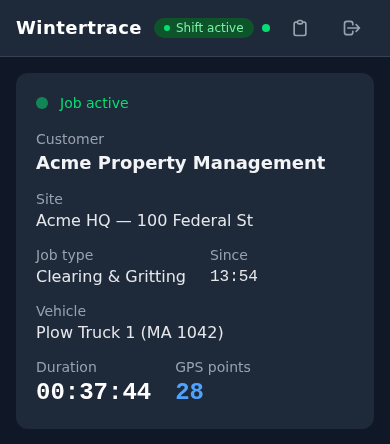
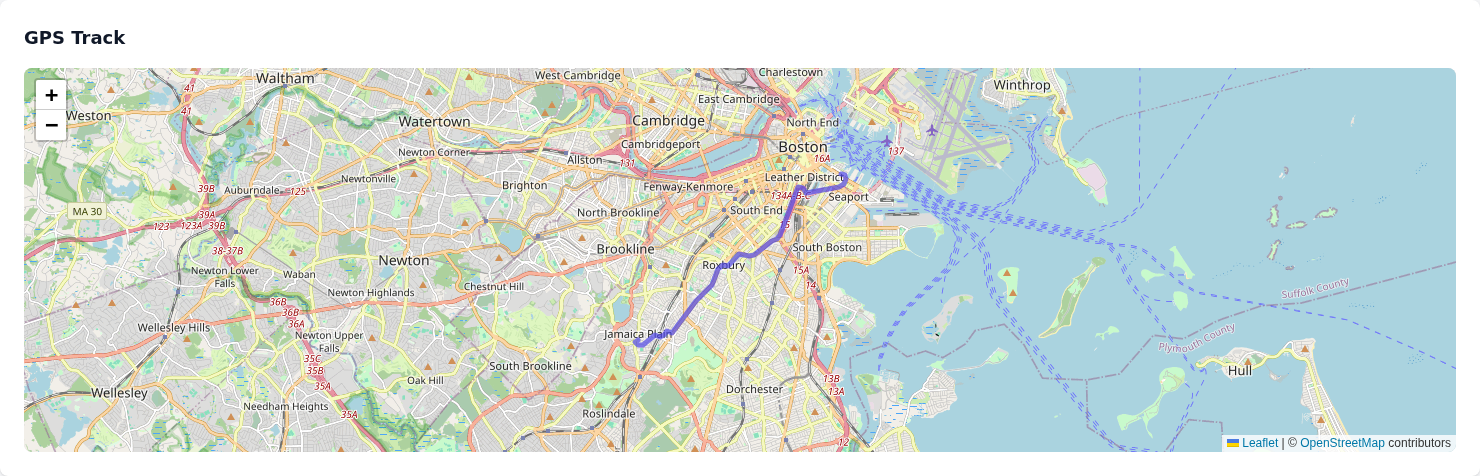
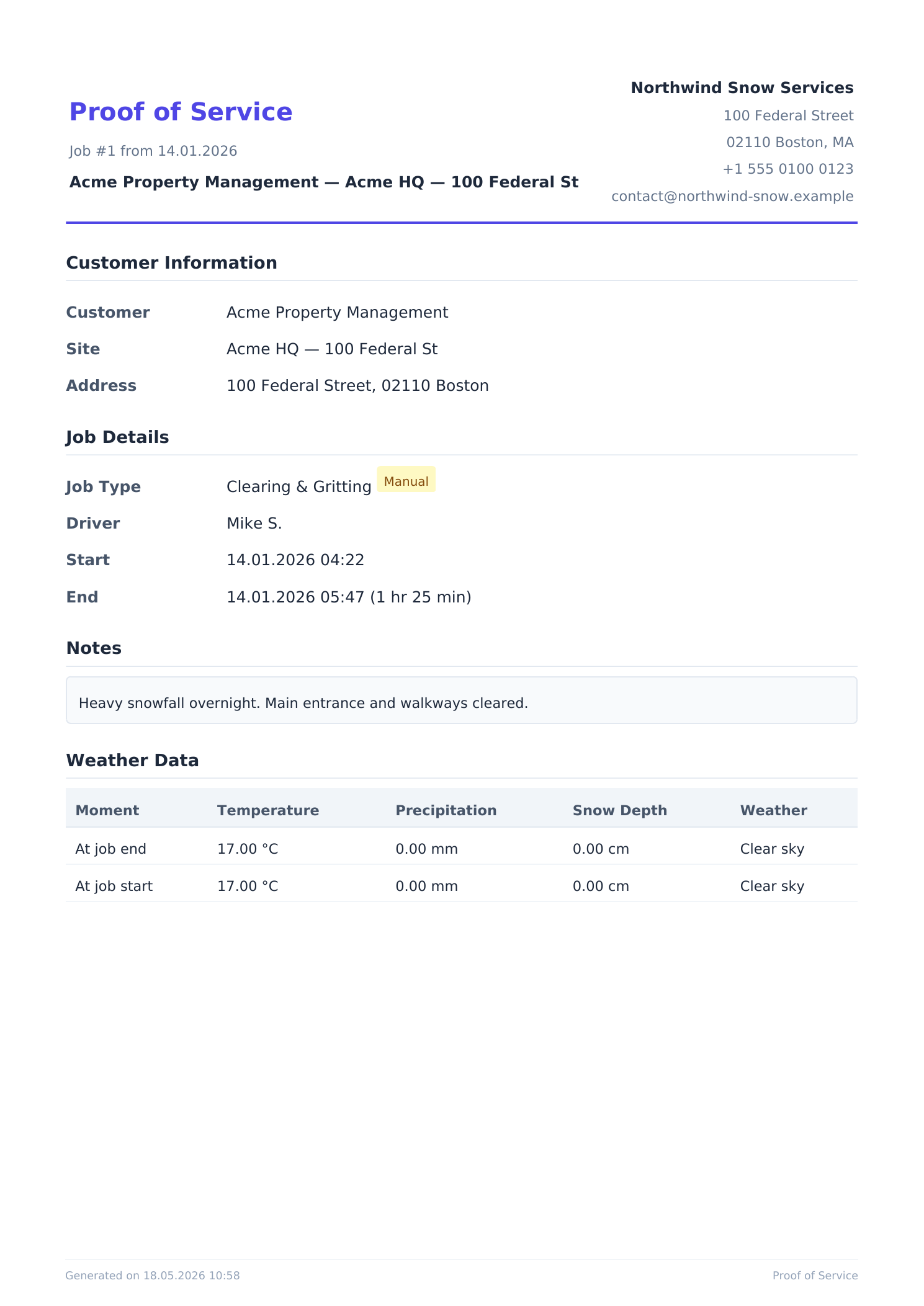
Every operation is exported as a PDF with company header, GPS track as vector graphic, weather data, and photos. Printable, archivable, usable as evidence in liability cases.
Note: Wintertrace provides documentation support. It is not a substitute for legal advice. Specific compliance assessments should be made in consultation with qualified counsel in your jurisdiction.
Trust is built on facts the code itself proves — not on badges.
Open source
Source code public on GitHub, AGPLv3 licence.
Self-hosting
Your data stays on your server.
No telemetry
The software does not phone home.
Signed updates
Ed25519 signatures protect against tampering.
Public roadmap
What is coming is visible up front.
Data protection tools
Built in, not bolt-on.
Upload one small file via WebFTP, open it in your browser, and the installer pulls the latest signed Wintertrace core onto your hosting. About ten minutes — no FTP client needed.
This software is early. Your feedback shapes where it goes — tell us what your operation actually needs.
A short selection. The full FAQ covers installation, GPS, weather, data protection, liability, features, updates, and open source.
The core software is free and open source under GNU AGPLv3. Additional costs are limited to the web hosting most businesses already have.
Standard web hosting with PHP 8.4 or higher and MySQL is sufficient. No root access, no Docker, no special hardware.
The free OwnTracks app on the driver phone sends location data directly to your installation. There is no third-party cloud in between.
Wintertrace includes data protection tools — anonymisation, retention policies, data export. The actual compliance is established through correct usage in your organisation. Wintertrace is not a substitute for legal advice.
Practical notes on winter service documentation, self-hosting, and the design decisions inside Wintertrace.
Release notes
Wintertrace is written with heavy AI assistance. In August 2026 two Strix runs — one against the source, one against a live throwaway demo — went hunting for vulnerabilities. What they found, what they got wrong, what they missed, and what it cost in tokens.
Release notes
The Warehouse module for Wintertrace has shipped: stock keeping for a winter service, inside the software that already documents the work. Also the reason the core stays deliberately small, and what 4.19 billion tokens went into.
Industry
You have a truck, a full-time job, and a neighbour willing to pay you to clear their driveway. Here is what it takes to do winter service on the side legally in Canada — registration, tax, GST/HST, insurance and workers' comp, province by province.