Feature · GPS tracking
Location data, from the phone to your server
Wintertrace uses the free, open-source OwnTracks app as its GPS source. Location data is sent directly from the driver phone over HTTPS to your Wintertrace installation — there is no third-party cloud in between.
How it works
Three parties: the driver phone, the OwnTracks app, and your installation. Nothing else sits in the path.
OwnTracks is a free open-source location app available on iOS and Android. It runs in the background on the driver phone, captures location updates from the platform GPS subsystem, and posts them to a configured endpoint over HTTPS.
In Wintertrace, that endpoint is your installation. The driver phone authenticates with credentials generated by Wintertrace and forwards location data only while an operation is active.
Why this matters: the data path is operator-controlled end to end. There is no third-party cloud holding location data. No per-driver subscription. No proprietary tracking device.
Driver setup in three steps
Setup takes seconds once OwnTracks is installed on the driver phone.
- 1
Admin creates the driver
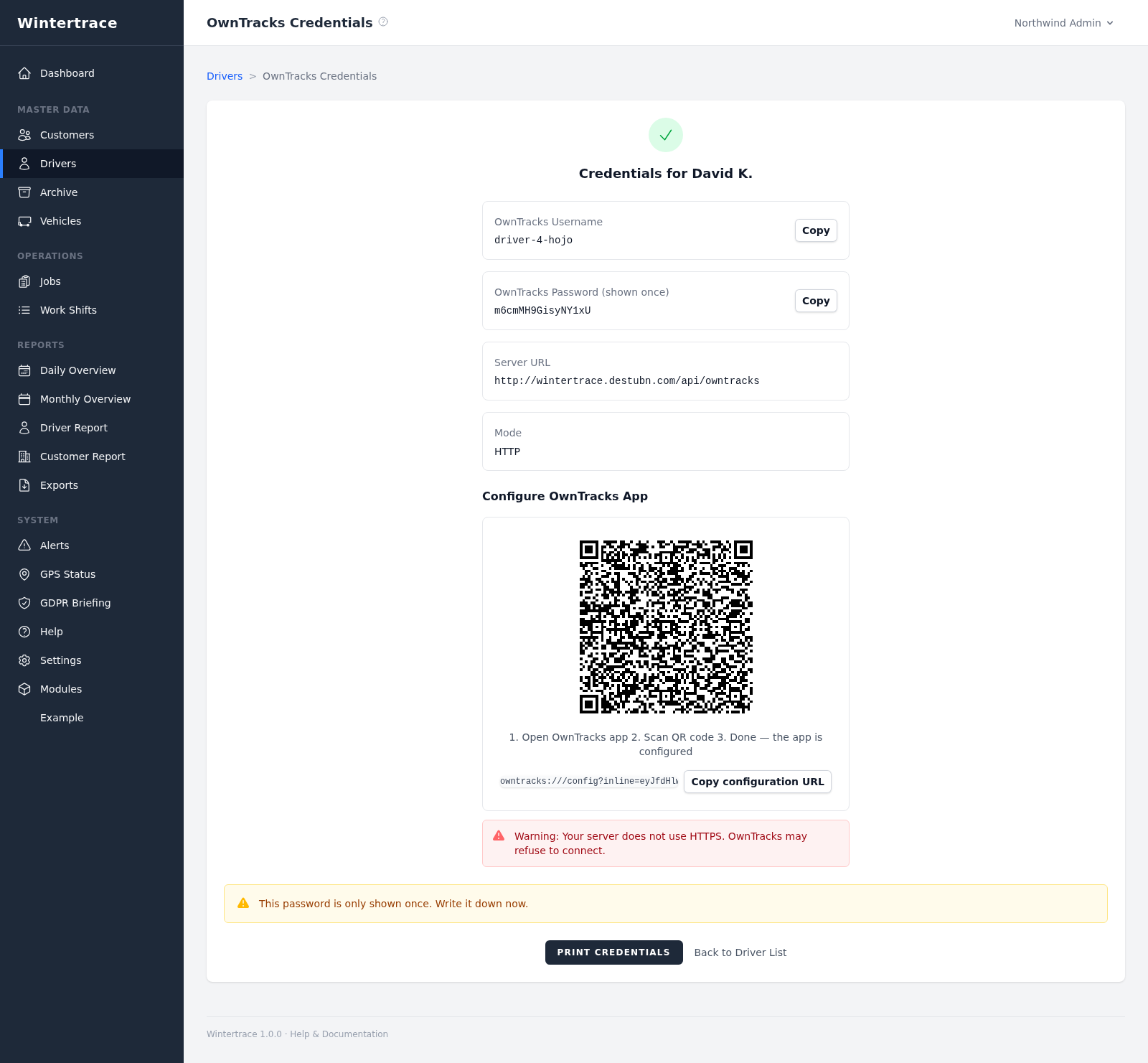
Wintertrace auto-generates OwnTracks credentials for the new driver.
- 2
QR code appears
The driver management page shows a QR code with the connection details.
- 3
Driver scans
The driver scans the QR code in the OwnTracks app — done. Manual entry also works.
What is captured per fix
Each GPS point stored with an operation carries the full context — not just coordinates.
- Latitude · longitude
- 7 decimal places of precision per fix.
- Unix timestamp
- Seconds since epoch — unambiguous across timezones.
- Altitude
- Metres above mean sea level, as reported by the phone.
- Speed
- Reported by the GPS subsystem.
- GPS accuracy
- Per-fix accuracy in metres — useful when assessing density of stops.
- Device battery level
- Stored alongside each fix to spot devices going flat mid-shift.
operation_gps_points · rows 1–3 of 412
| # | Latitude | Longitude | Recorded (UTC) | Speed | Accuracy |
|---|---|---|---|---|---|
| 1 | 42.3492617 | −71.0405884 | 1739505720 | 0 km/h | 4 m |
| 2 | 42.3494881 | −71.0409132 | 1739505735 | 11 km/h | 4 m |
| 3 | 42.3499043 | −71.0416277 | 1739505750 | 18 km/h | 6 m |
Integrity guarantees
What the software will and will not let anyone change after the fact.
GPS points are locked after the operation ends. They cannot be changed or removed retroactively. This protects the integrity of the service proof — a track that could be edited would carry little weight as a record.
Edits to the operation itself (notes, customer assignment) are still possible within a 24-hour window. Every such change is logged in a separate audit trail, visible in the database and in the UI.
The audit table is part of the open-source codebase. Behaviour can be verified directly.
Wintertrace provides documentation support. It is not a substitute for legal advice.
Smoothing for display
Raw GPS data is messy. Wintertrace smooths the display without ever touching the underlying record.
Three smoothing passes run before display and PDF rendering:
- Stillness clusters — fixes captured while the vehicle is stationary collapse into a single point.
- Near-neighbour reduction — points within a small radius of each other are thinned out.
- Douglas–Peucker simplification — straight stretches are reduced to fewer points without visual loss.
The raw points remain in the database untouched — only the rendered view and the PDF map use the smoothed version.
Maps and the PDF track
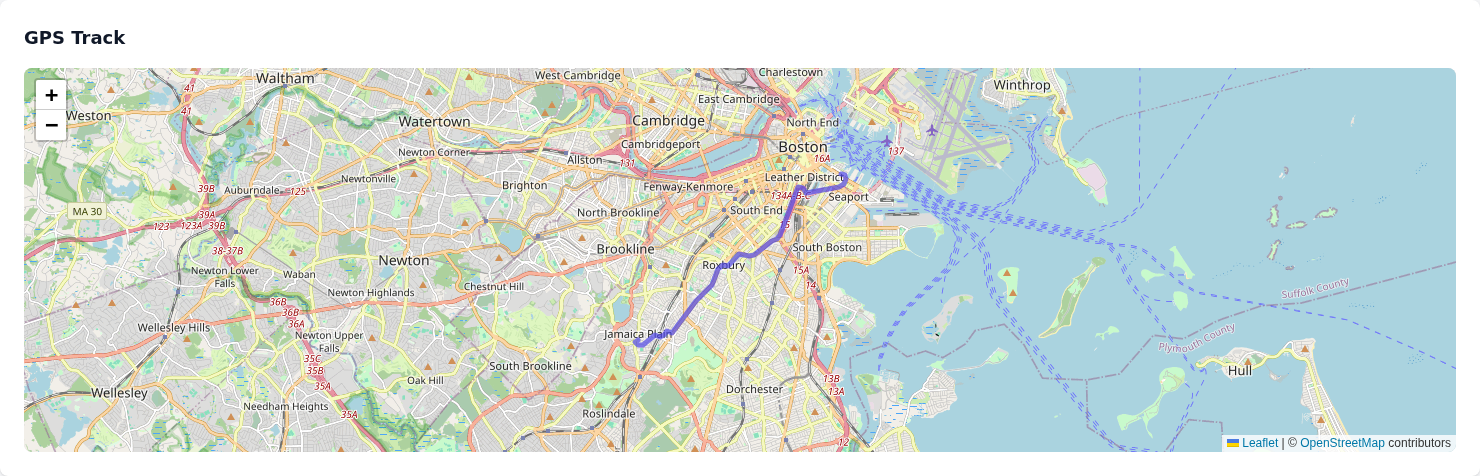
Live maps in the admin area use OpenStreetMap by default, with start and end points colour-coded. The PDF service proof embeds the track as an SVG vector — sharp when printed at any size.
Try Wintertrace.
Upload one small file to your web hosting, open it in your browser, and the installer puts the latest signed Wintertrace core on your webspace. About ten minutes — no FTP client needed.
install.php · Ed25519-signed core · GNU AGPLv3
Read the installation guide →