Operation completed
When an operation ends and the weather data is fetched, the configured recipient receives an email with the PDF service proof attached.
Feature · Notifications
Customers can have the PDF service proof in their inbox minutes after the operation ends — no phone call required, no "did you come?" email chain. Every send is logged.
Wintertrace sends email on three occasions and no others. There is no digest, no reminder, no marketing send.
When an operation ends and the weather data is fetched, the configured recipient receives an email with the PDF service proof attached.
If weather data becomes available retroactively (e.g. after a provider delay), an updated proof is sent automatically.
When a customer portal account is created, login details are sent automatically to the customer.
One customer with four sites and four different property managers is the normal case, not the edge case.
Notifications can be enabled or disabled per customer and per service location. Different recipients can be set per location — useful when one customer owns multiple sites with different property managers.
Duplicate sends are detected and suppressed automatically — for example, when a service proof is regenerated after a weather data fix, the same address is not notified twice for the same operation.
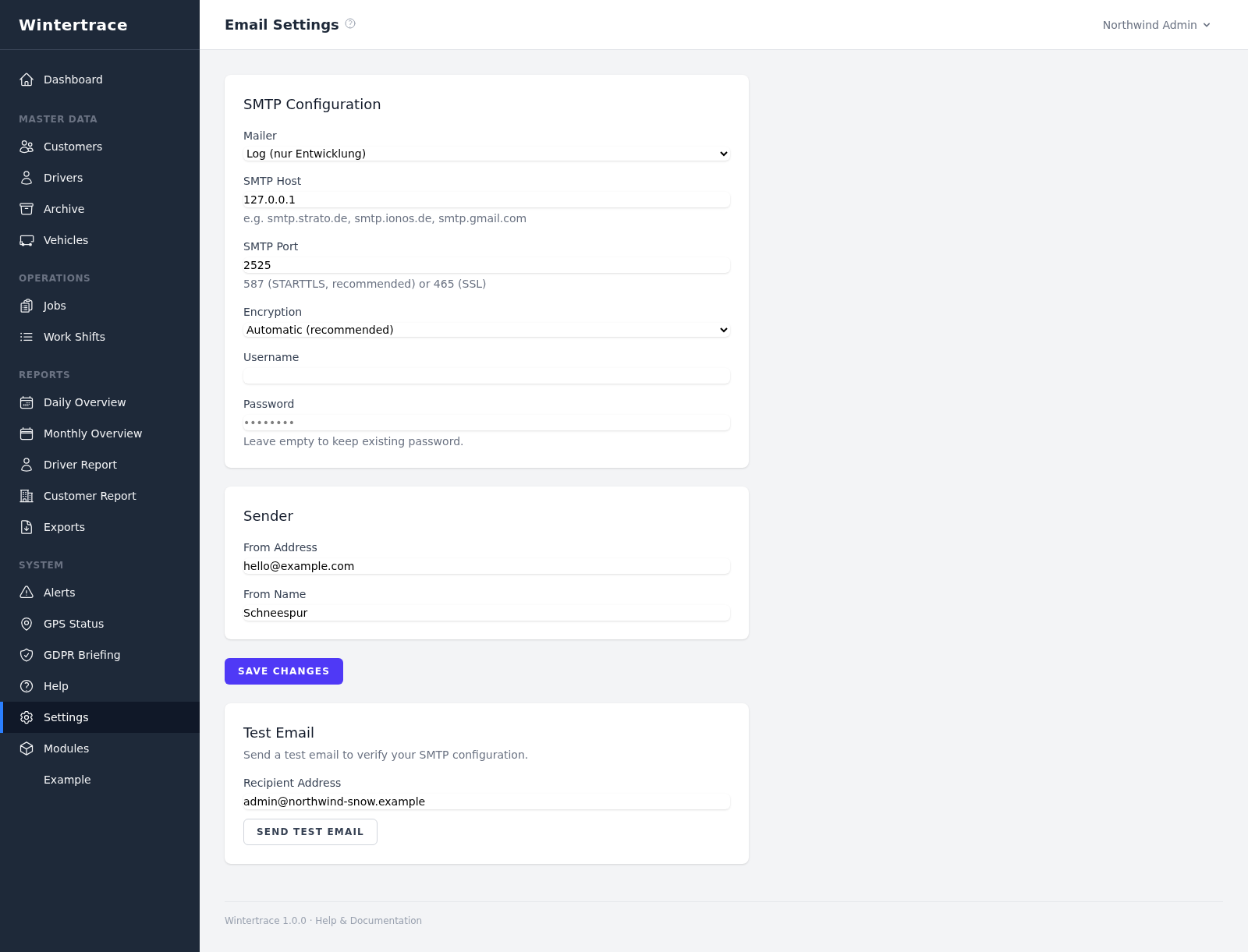
No third-party transactional email service is required.
Notifications send through any SMTP server the operator configures — the same provider that powers the operator's existing business email is usually fine. No SendGrid, Postmark, or Mailgun integration is required (though any of them can be used if preferred).
This keeps the data path consistent: customer addresses and PDF attachments do not pass through a third-party transactional cloud unless the operator explicitly chooses one.
Every email is recorded.
notification_log · 3 of 1,204 rows
| Recipient address | Sent timestamp | Notification type | Delivery status (sent / failed / skipped) | Failure reason (if applicable) |
|---|---|---|---|---|
| manager@ridgeline-pm.example | 2026-01-14 05:31 | Operation completed | sent | — |
| facilities@northgate.example | 2026-01-14 05:31 | Operation completed | failed | Mailbox full (552) |
| manager@ridgeline-pm.example | 2026-01-14 06:02 | Updated service proof | skipped | Duplicate within 60 min |
Filterable by status, type, and time range. When a customer claims they never received a notification, the log answers definitively.
Upload one small file to your web hosting, open it in your browser, and the installer puts the latest signed Wintertrace core on your webspace. About ten minutes — no FTP client needed.
install.php · Ed25519-signed core · GNU AGPLv3
Read the installation guide →Wintertrace is early and shaped by real winter service work. Share your feedback →