Full access
Admin
Manage customers, drivers, vehicles. View and edit all operations. Configure settings, branding, GDPR templates, updates. Create reports.
Feature · Driver and team management
Wintertrace is designed to be usable by an owner-operator running their own truck — and to scale up to a team of a dozen drivers without changing how it works.
What is stored per driver — four fields, two of them generated for you.
OwnTracks credentials are shown as a QR code on the driver detail page — the driver scans it in the app and the connection is live.
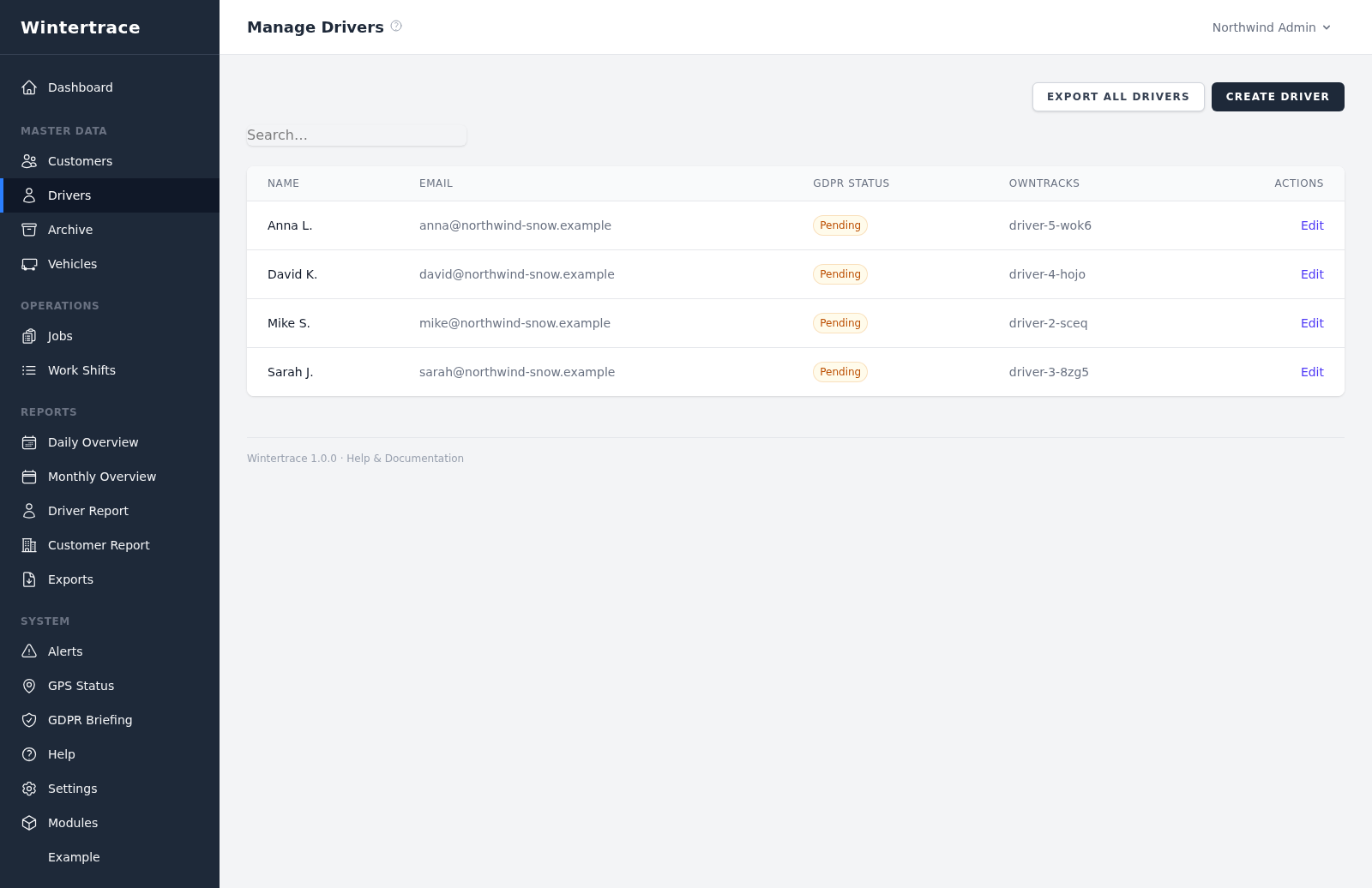
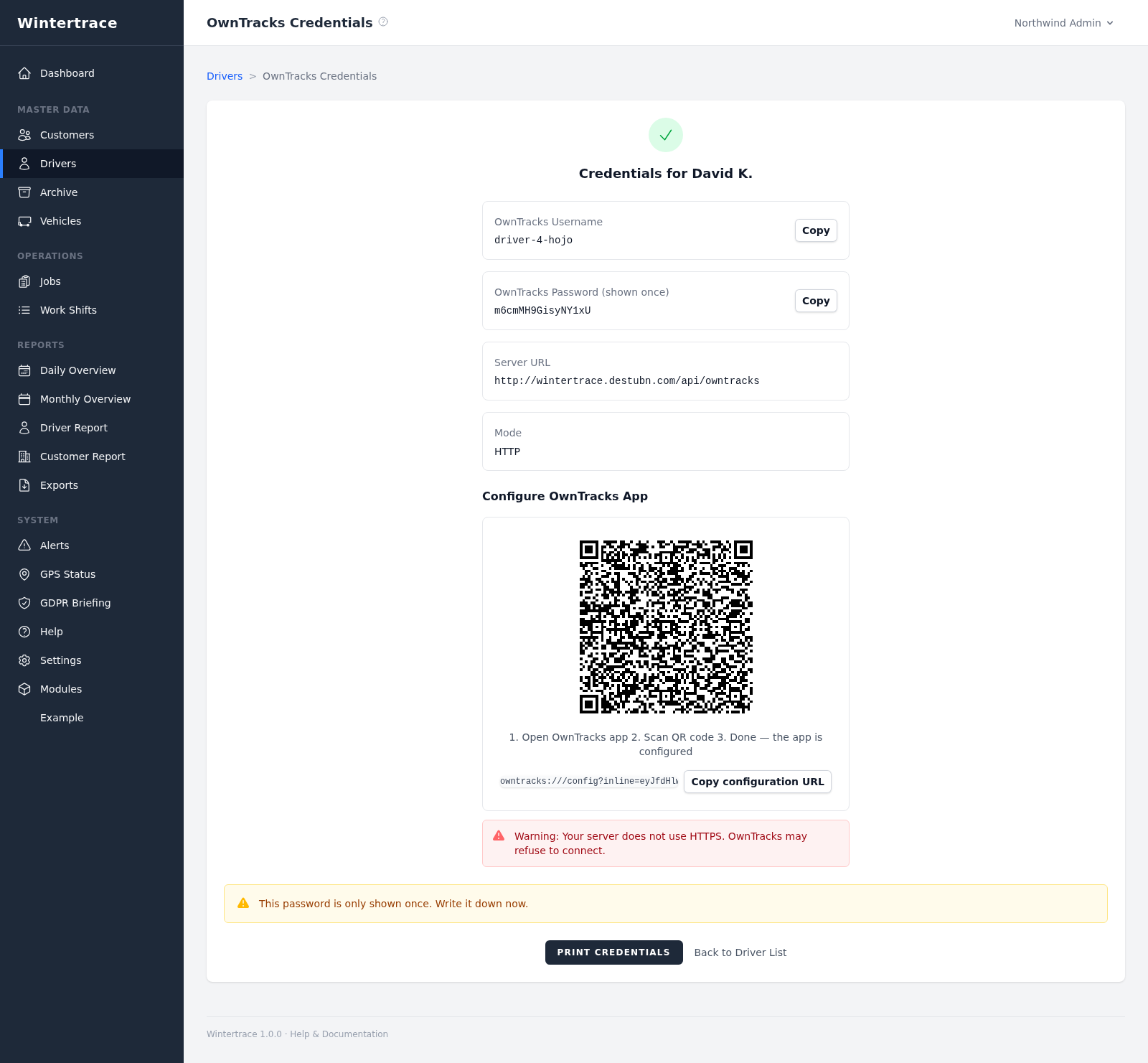
Managed centrally, changeable mid-shift when the truck changes.
Vehicles are managed centrally: name, registration plate, optional OwnTracks device identifier. A driver can be assigned a default vehicle that is pre-selected on operation start.
A driver can change the active vehicle at any time during a shift — for example, when switching between a plough truck and a salt spreader during the same run.
Each role has its own login surface and its own visibility scope.
Full access
Manage customers, drivers, vehicles. View and edit all operations. Configure settings, branding, GDPR templates, updates. Create reports.
Driver app only
Start and end shifts. Run operations (select customer, start/stop, take photos). Enter manual operations. Edit own profile.
Customer portal only
View own operations, generate PDF reports for own data, manage own profile and password. Cannot see other customers.
Two clean paths — the operation records stay intact either way.
The driver can no longer log in, but their operation records and personal data remain intact.
All personal data — name, email, phone, OwnTracks credentials — is irreversibly replaced with placeholders. Operation records remain but no longer tie to a real person.
A full ZIP export of all data for a single driver is available for subject access requests.
Upload one small file to your web hosting, open it in your browser, and the installer puts the latest signed Wintertrace core on your webspace. About ten minutes — no FTP client needed.
install.php · Ed25519-signed core · GNU AGPLv3
Read the installation guide →Wintertrace is early and shaped by real winter service work. Share your feedback →