A view per property, not per truck
Property managers care which sites were serviced. Wintertrace groups operations by customer and by site, so a manager can pull a winter season summary for a single building without sorting through dispatch data.
Winter maintenance software
Wintertrace is documentation software for winter maintenance — clearing, de-icing, and the records that prove it happened. Built for contractors who serve property managers and facility teams, with a customer portal, audit trail, and PDF service proofs in the core application, not as paid add-ons.
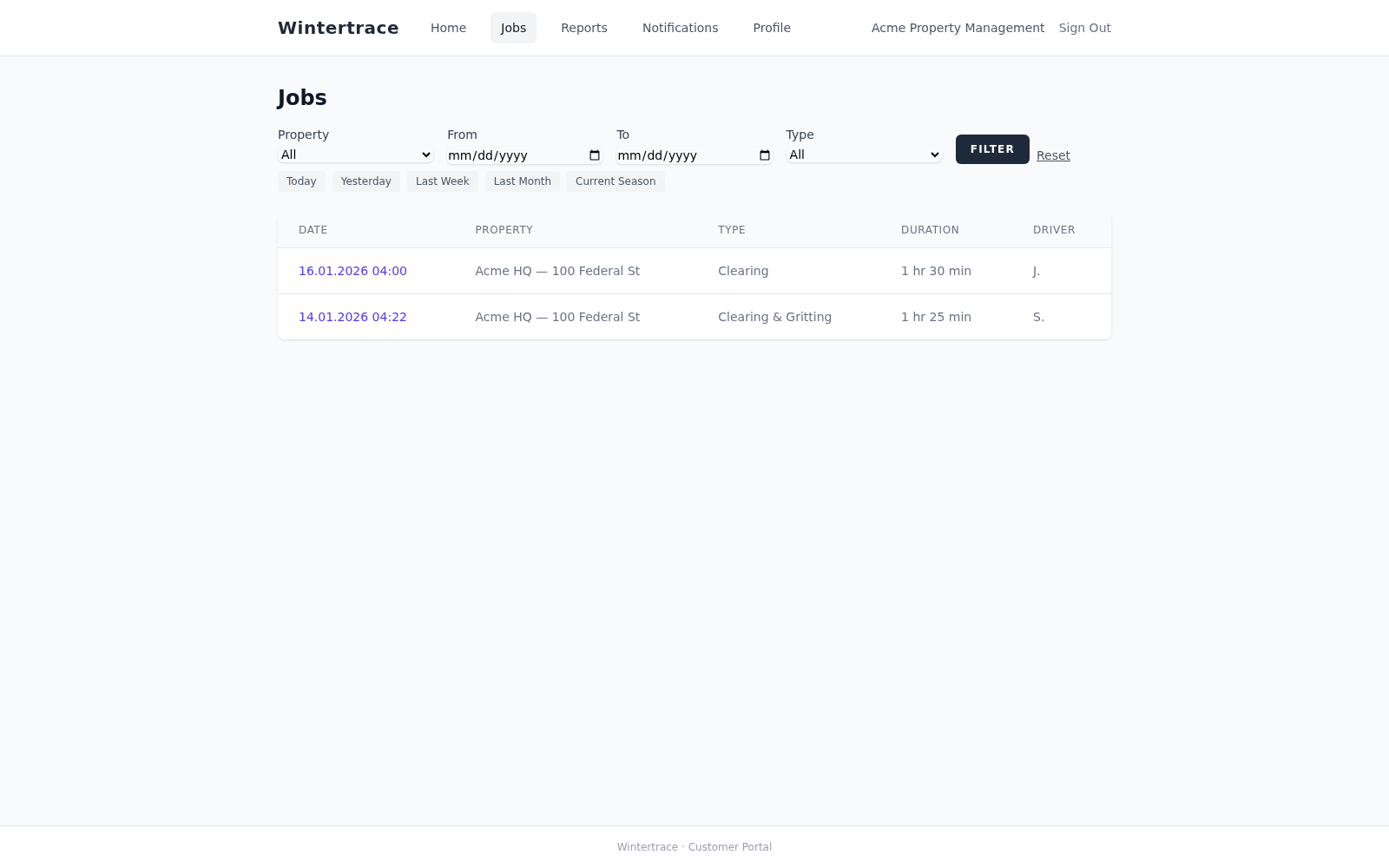
A snow removal contractor working with property managers has a different conversation than one working with private homeowners. The questions are not "did you come?" but "what did you do at building B last Thursday, and can the regional manager pull the weather record without calling me?"
The documentation side of the work expands accordingly. Multiple sites per customer. Multiple stakeholders who want visibility. Reporting cycles that match contract terms. A request, sooner or later, for "all operations at this address for the season" — delivered as a clean PDF stack.
Wintertrace is built with that shape of work in mind.
Four needs that recur across property maintenance contracts. Each is addressed inside the core application.
Property managers care which sites were serviced. Wintertrace groups operations by customer and by site, so a manager can pull a winter season summary for a single building without sorting through dispatch data.
Clients have their own portal where they see their operations, weather records, and (optionally) GPS tracks. No extra licence, no per-tenant fee — the portal is part of the application.
Monthly and seasonal reports per customer or per site. CSV exports for billing systems. The contractor brand on every PDF.
Who opened the operation, who closed it, who downloaded the PDF, who modified what data — and when. The audit log is part of the application, not an add-on.
The single feature that distinguishes a winter maintenance tool from a snow removal log. Wintertrace ships it as part of the core application.
Property-management work tends to surface in disputes a year after the fact. The audit trail is what holds up when nobody remembers the details anymore.
Opening an operation, attaching a photo, closing the operation, regenerating a PDF — each action carries a timestamp and an actor. The log is not editable from inside the application.
Critical events (new operation, customer comment, retention milestones) trigger configurable email notifications. The notification log is itself part of the audit trail.
Anonymisation, retention, and export tools are part of the same documentation discipline as the operations themselves. What was kept, what was deleted, and when — all recorded.
See also: notifications and audit log, data protection tools.
In practice the terms overlap. "Winter maintenance" is more common in property and facility management contexts and tends to cover the full operation — clearing, de-icing, monitoring conditions, documenting service. "Snow removal" is more common with contractors. Wintertrace covers the documentation side of both.
Yes. The customer portal is built exactly for this case: the contractor operates Wintertrace, and the property manager (the customer) gets login access to see what was done on their properties. No extra licence is required.
A regular log is informational. The Wintertrace audit log records every state change of an operation — open, close, edit, export, regenerate — with a timestamp and an actor. It is not editable from the application; modifying it would require direct database access, which leaves separate traces.
No. The portal is part of the core application. There is no per-customer or per-portal-user fee.
Yes. Visibility is configurable per customer. One client might see operations and PDFs but not GPS tracks; another might see everything. Settings sit per customer, not as a global toggle.
Customer data lives in the operator MySQL or MariaDB database on operator hosting. The application does not share data with third parties, does not send telemetry, and provides built-in anonymisation and retention tools. What the operator commits to a customer in their own contract is for the operator to honour.
Yes. Operations are tagged with the customer and the specific site. Reports can aggregate by either dimension.
Note: Wintertrace provides documentation support for winter maintenance operations. The customer portal and audit trail are operational features, not legal certifications. They do not assess regulatory fit in any specific jurisdiction. Wintertrace is not a substitute for legal advice.
Source code on GitHub. Free under GNU AGPLv3.
Upload one small file to your web hosting, open it in your browser, and the installer puts the latest signed Wintertrace core on your webspace. About ten minutes — no FTP client needed.
install.php · Ed25519-signed core · GNU AGPLv3
Read the installation guide →Wintertrace is early and shaped by real winter service work. Share your feedback →